Small groups on public dashboards
Updated
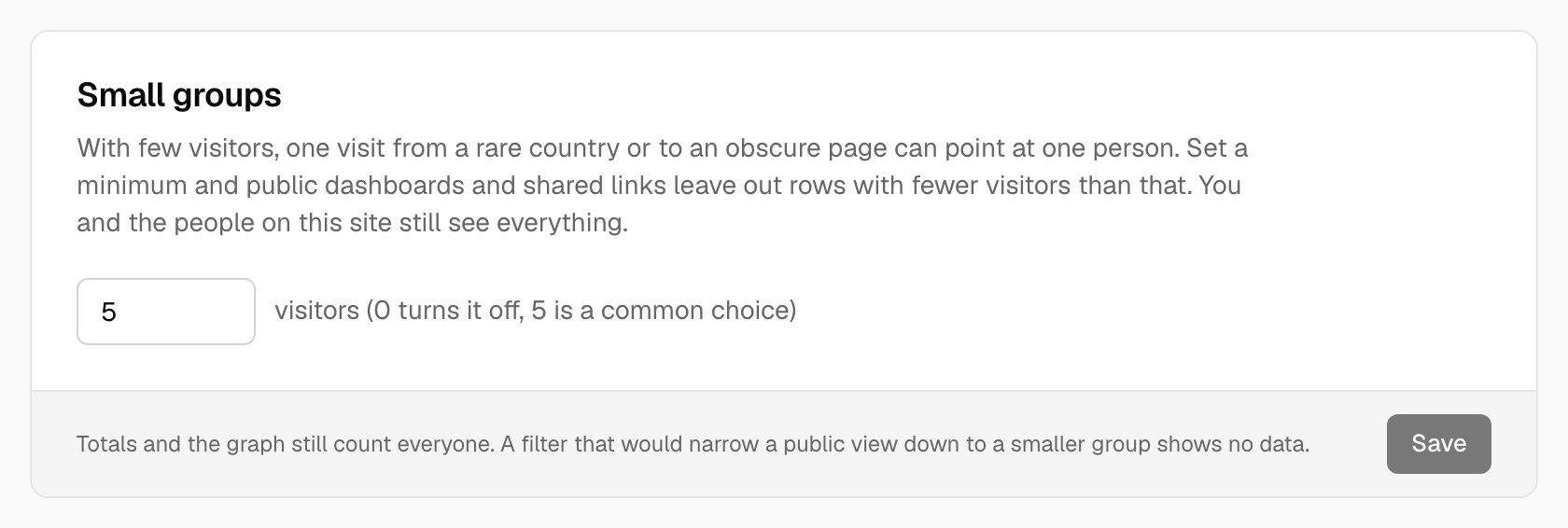
With few visitors, a single visit from a rare country, to an obscure page or from an unusual source can point at one person. Small groups hides such rows from people who aren't members of the site.
Open Site settings → Sharing and access, find Small groups and enter the smallest number of visitors a row must have to be shown. Use 0 (the default) to turn it off; otherwise choose a number from 2 to 1000.
What it affects
- Public dashboards and shared links, for everyone who isn't signed in as a member of the site. Members, admins and the owner always see everything.
- Every report that lists rows: countries, regions and cities, pages, sources, devices, property values, journeys, and the CSV export. A footnote tells the viewer that some rows are hidden.
What it doesn't change
- Totals and the graph still count everybody. Only the rows are hidden.
- Your own view. Sign in and every row is there.
Filters can't get around it
A visitor of a public view who filters down to a group smaller than your minimum (for example one country with three visitors) sees no data, so the limit can't be sidestepped by narrowing a view until a single person is left.
Note:
Pick a number that fits your traffic. A minimum of 5 on a site with a few hundred visitors a month hides a lot; on a busy site it only trims the long tail.
See also Sharing a dashboard and Privacy controls.
Was this helpful?
Ready to try Tidemark?
Free plan, no credit card. No cookies, no footprints.