AI assistants (MCP)
Updated
Tidemark has a built-in Model Context Protocol server, so AI assistants can answer questions about your sites ("how did the pricing page do last month?") from your own numbers. It is read-only and returns aggregates only: totals, trends, top pages and sources, goals and funnels. There is no visitor-level data to ask for, and nothing can be changed.
1. Create a read-only key
Open Account settings → Security, choose Read-only, name the key (for example Claude) and create it. Copy it straight away; it is shown once.
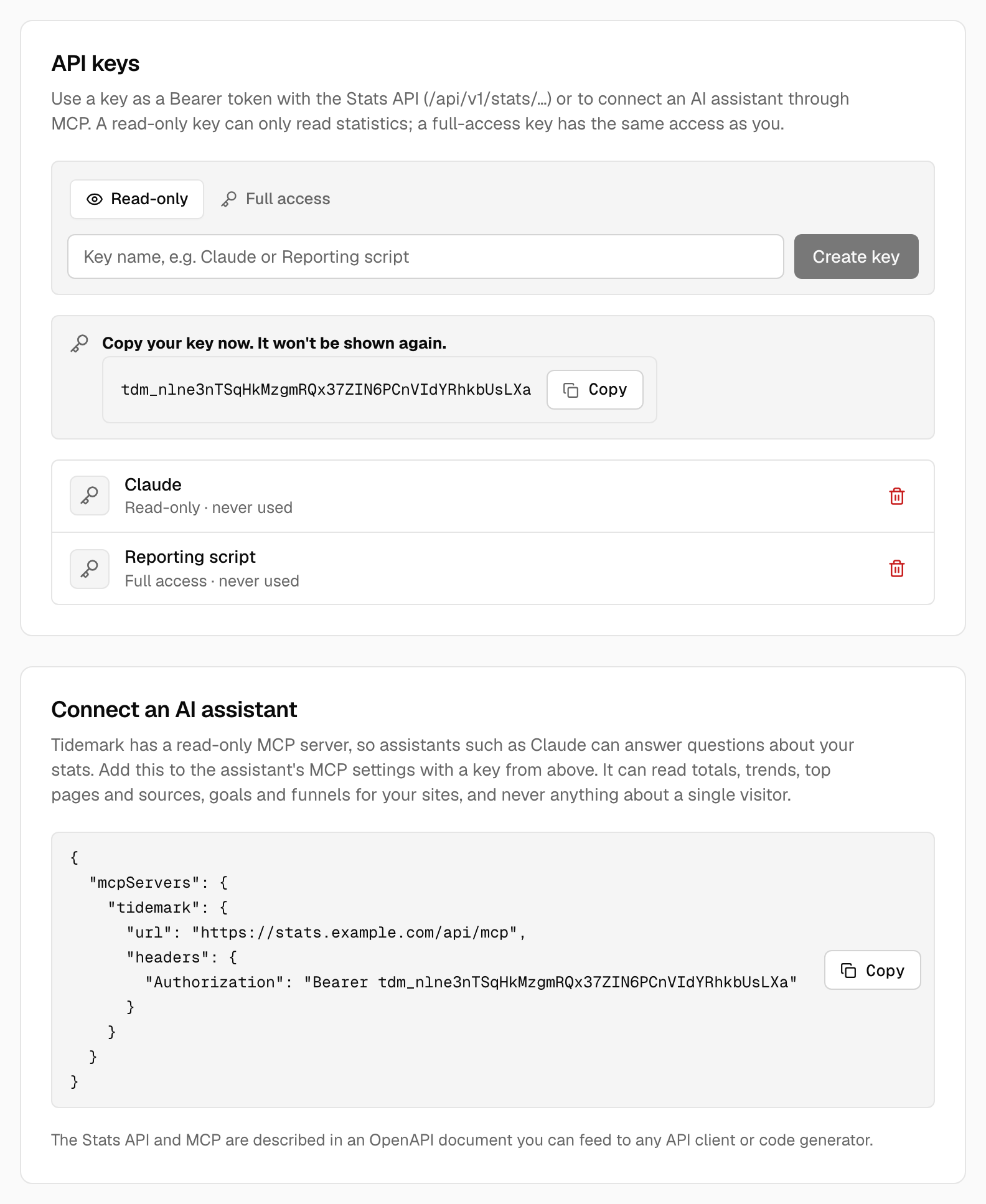
A read-only key can read statistics through the Stats API and the MCP server, and nothing else: it can't change settings, list keys or reach any other part of the API. A Full access key has the same access as you, like every key before 0.31.
2. Connect the assistant
Under the keys, Connect an AI assistant shows the configuration for your installation. Add it to the assistant's MCP settings:
{
  "mcpServers": {
    "tidemark": {
      "url": "https://stats.example.com/api/mcp",
      "headers": { "Authorization": "Bearer YOUR_KEY" }
    }
  }
}
The server speaks Streamable HTTP, so any client that supports remote MCP servers with a bearer token can use it.
What the assistant can do
| Tool | What it returns |
|---|---|
list_sites | The sites your key’s owner can read |
get_stats | Totals for a period, optionally with the change against the previous one |
get_timeseries | Numbers per day, hour or month |
get_breakdown | Top pages, sources, countries, browsers… |
get_goals | Goal conversions and revenue |
list_funnels, get_funnel | Funnels and how far visitors get |
get_current_visitors | Visitors in the last five minutes |
get_annotations | The notes on the graph you may see |
Tools only see the sites the key's owner belongs to, and apply the same rules as the dashboard (including small groups). Requests are limited to 120 a minute.
OpenAPI
The Stats API, Events API and MCP endpoint are described in an OpenAPI 3.1 document at /api/v1/openapi.json on your installation (no key needed). Feed it to any API client or code generator.
Note:
Treat a key like a password. Create one per tool, so you can revoke each on its own from the same page.
On Tidemark Cloud, API keys and MCP are available on every plan.
Was this helpful?
Ready to try Tidemark?
Free plan, no credit card. No cookies, no footprints.