Dashboard overview
Updated
Each site has one dashboard, at your Tidemark address followed by the site's domain. A top bar holds the site switcher and a search box that opens the command palette (Cmd+K or Ctrl+K) for jumping to a site, changing the date range, comparing or adding a filter. The sidebar lists the reports of the open site (Overview, Pages, Sources, Locations, Devices, Events and goals, Funnels and Journeys, plus Settings if you can manage the site). Above the report, a bar holds the date range, the comparison, your filters and a ⋮ menu (interval, CSV export). On a narrow screen the sidebar gives way to a top bar and a site switcher. Public and shared dashboards show no sidebar.
Headline metrics
Five cards sit at the top: visitors, pageviews, bounce rate, visit duration and goal conversions, each with a sparkline. Click a card to chart it. Turn on comparison (C) to see each against the previous period. Beneath the graph, What changed points out the shifts worth a look in plain language, such as a page or source that moved since the previous period.
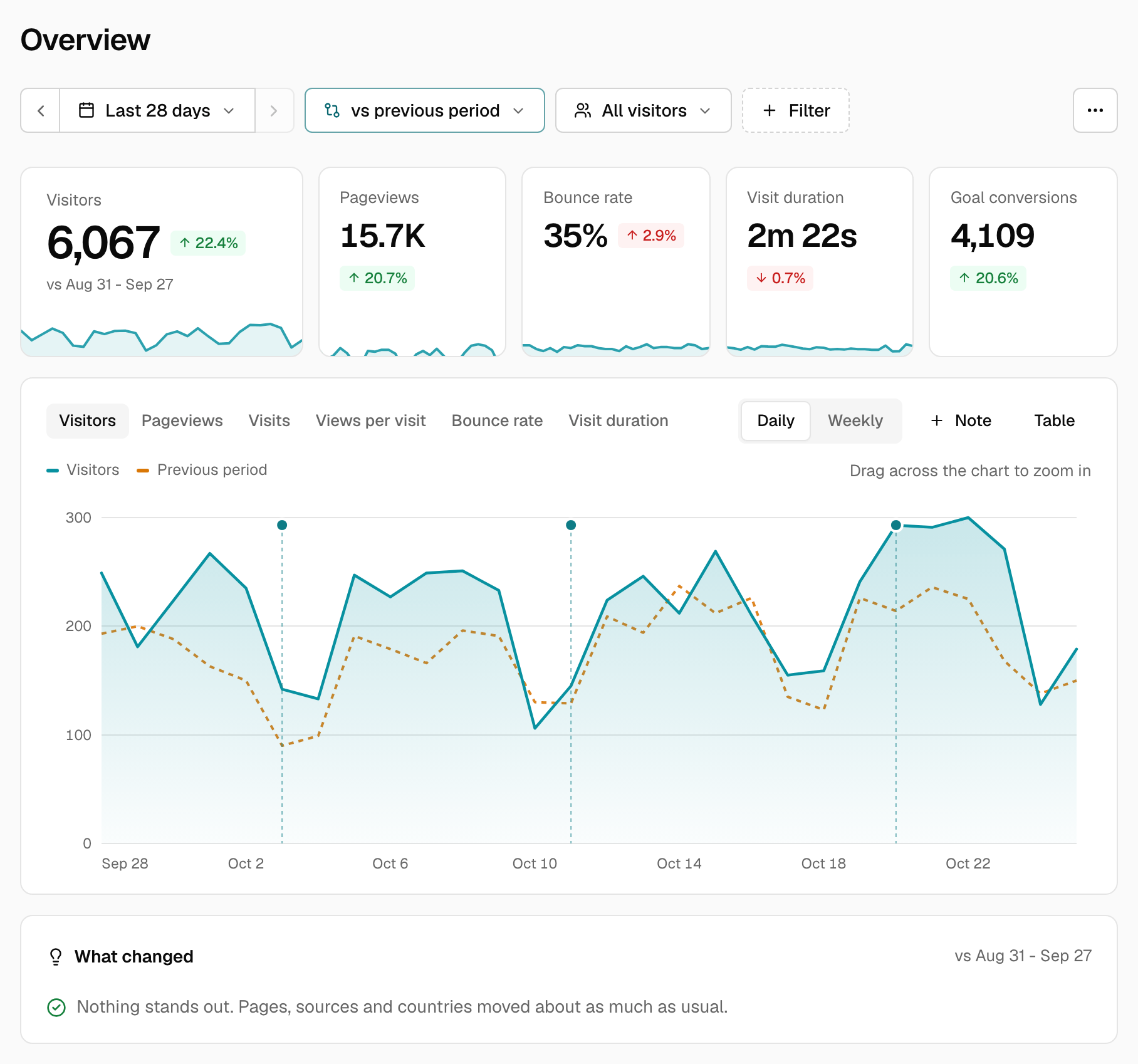
The graph
Choose an interval of hour, day, week or month (the options depend on the period). Hover for a tooltip that includes the comparison series. Use ← and → to move through points, and View as table for the same data in text.
Mark a date with a note ("launched v2", "newsletter went out") using Add note above the graph. See Notes on the graph.
Current visitors
The live count in the top bar is the number of distinct visitors whose visit was active in the last five minutes.
Below the graph
Cards for pages, sources and more, each with View all for the full report. Click any row to filter the whole dashboard by it.
Export
The ⋮ menu exports the current view as CSV.
Was this helpful?
Ready to try Tidemark?
Free plan, no credit card. No cookies, no footprints.